Set up Multi-Angled Pricing
The Multi-angle component calculates a charge for the additional time it takes to create a multi-angled frame. The charge is based on a percentage of the total framing price; the more complicated the construction, the higher the percentage.
Tip: You can also use the Multi-Angle field to price by percentage for other factors such as Rush Charge, Design Fee, etc.
Note: The Multi-Angle field does not apply a percentage to the Readymade field since it is a pre-purchased frame and additional work is not required, e.g. not cutting and assembling the frame. If you are cutting down a readymade frame, then use the Fitting field to add an additional charge for the labour which will be affected by the Multi-Angle percentage.
Note: The Multi-Angle field does not apply a percentage to the Other field. This is a flat rate amount and is affected by other factors: Constrain to 1, Do Not Discount, Do Not Tax, Post lines separately.
How to Set the Price for Multi-Angle Frames
-
Go to Price Codes and click the Multi-Angle sidebar button.
-
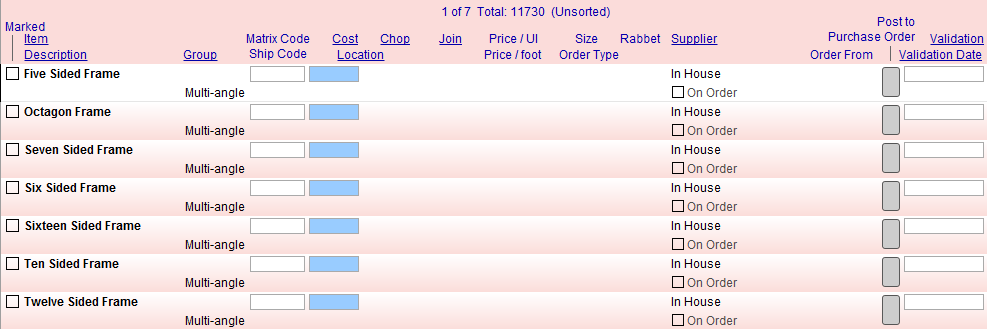
Click the List View button.
-
Click any record to edit, or to create a new record, click the New Price Code Item button.
The New Price Code Item window appears. -
The group you want to select is Multi Angle.
-
Fill in the fields for Item and Markup Formula.
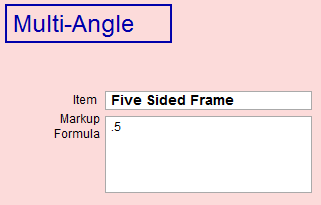
For example, when entering a decimal, use .10 or .1 for 10%.
This adds 10% of the total price to the amount for Multi Angle.
Note: Adjust the percentage in the Markup Formula field to be correct for your business. The defaults in FrameReady are: Five Sided .5, Six Sided .6, Seven Sided .65, Octagon .7, Ten Sided .8, Twelve Sided .9, Sixteen Sided 1.
-
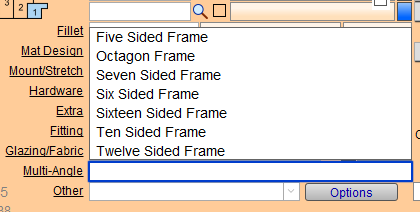
Later, on a Work Order, you can select the number of sides from the Multi-Angle dropdown.
Other Uses for the Multi-Angle Group
Tip: The Multi-Angle field can also be used to price by percentage for other factors such as Rush Charge, Design Fee, etc.
-
When every component in the frame is affected by a task, the Multi-Angle field adds a percentage of all the materials to the retail price. This means that the Rush Charge for a double frame with a fillet and three mats is consistently priced higher than the Rush Charge for a single frame with one mat.
-
This field could, technically, be considered the reverse of the Discount field as it adds a percentage to the total price.
-
After set up, simply choose the appropriate entry from the Multi-Angle field in the Work Order and the price of the framing components scales up.
© 2023 Adatasol, Inc.