Glazing Pricing Tab
The Glazing Pricing tab is used to calculate the retail selling price of your glazing.
Glazing Pricing Tab Explained
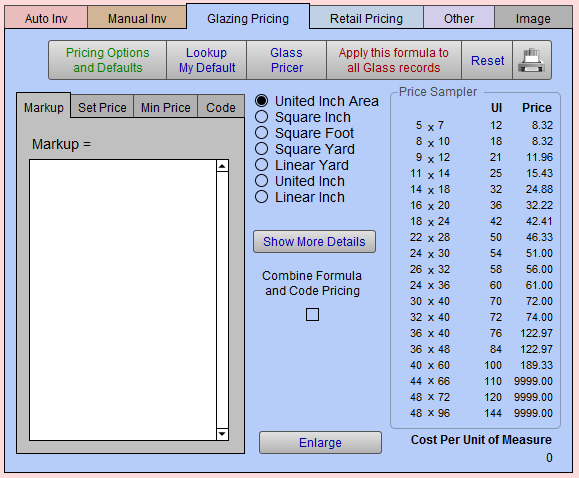

Pricing Options and Defaults Button
-
The Pricing Options and Defaults button takes you to another screen where you can set up any number of pricing defaults or pricing options.
-
See also: Pricing Options and Defaults Button
Glass Pricer
-
Opens the Glass Pricer screen.
-
See also: Glass Pricer Feature
Apply This Formula to all Glass Records Button
-
Once you have entered a formula and set price, then you can apply it to a group of similar records using this button. This takes you to another screen where you can specify which records to include.
Reset Button
-
Updates the Price column data or when there are no values in the Price column.
-
Given the number of moulding and matboard items stored in FrameReady, the Price Sampler data is not auto-calculated. It may need to be refreshed from time to time. Note that Price Sampler data is not used on Work Orders (that data, however, will be fresh).
-
See also: Price Sampler Overview
Printer Icon Button
-
Print the pricing chart for this moulding, or Save as PDF.
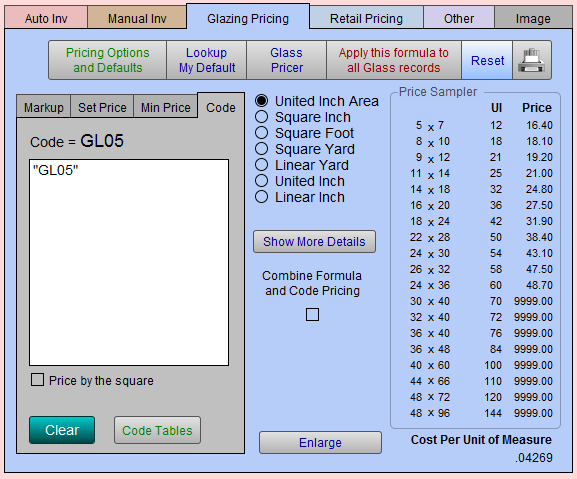
Tabs in the Glazing Pricing Tab
Mark Up Tab
Set Price Tab
-
The Set Price value can be used to cover labor, or shipping, or just to ensure a minimum glass price. The dollar value is added to the final Retail Price.
-
See also: What is Set Price?
Min Price Tab
-
The minimum dollar value; the Retail Price will not dip below it.
Code Tab
-
The assigned Code Table to price the current item.
Price Sampler Section
-
This section of the screen is known as the Price Sampler.; it may be used as a way to experiment with different formulas or comparing with other price charts.
-
See also: Price Sampler
Cost Per Unit of Measure Field
-
A calculation.
-
Not modifiable.
© 2023 Adatasol, Inc.