Check Inventory
You may want to manually adjust your inventory as you work, therefore this screen allows easy access to all framing components.
How to Check your Inventory
-
The Check Inventory button is only available for Mats, Mount Stretch, Glazing/Fabric.
-
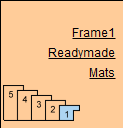
On a Work Order, click the underlined Mats button (or Mount Stretch, or Glazing/Fabric).
-
Open the Inventory tab.

-
Click the Check Inventory button.
-
The "Check Inventory" window appears.

-
You may enter inventory on this screen.
Qty = amount
X and Y = width and height
Total = sum (not price)
Location = shop shelf or bin #. -
Use the buttons to load inventory data for any Price Code item added into the field on the Work Order.
-
Click Done to return to the Mat detail screen.
© 2023 Adatasol, Inc.