Art Tracker Explained
A general utility table to track the progress of the Work Order as it proceeds through production.
-
With a click, staff can timestamp each step of the process with their name. The Name, Location, and Action menus are all specific to this feature.
-
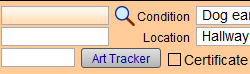
On any Work Order, click the Art Tracker button to open.
Art Tracker Screen Explained

WO Number Column
-
Auto-filled; not modifiable.
Timestamp Column
-
Auto-filled; but can be modified for accuracy.
Name Column
-
Click to choose the name of the individual or department who has completed the work.
-
Use the Edit... entry to make changes to the list.
Location Column
-
Click to enter the location of the work so that others can find it.
-
Use the Edit... entry to make changes to the list.
Action Column
-
Click to identify the work in-progress so far, e.g. Mat cut.
-
Use the Edit... entry to make changes to the list.
Add New Line Button
-
Click to create a new line entry.
Find Button
-
Switches to Find mode.
Print Button
-
Prints a document of the data.
Done Button
-
Returns to the Work Order.
© 2023 Adatasol, Inc.