Add Retail Products to an Invoice
How to add Retail Products (without a barcode scanner)
How to Add a Retail Product to an Invoice
-
Click Data Entry on an existing invoice or create a new one using New Invoice.
-
Click Search Item magnifying glass (far left of the screen).
-
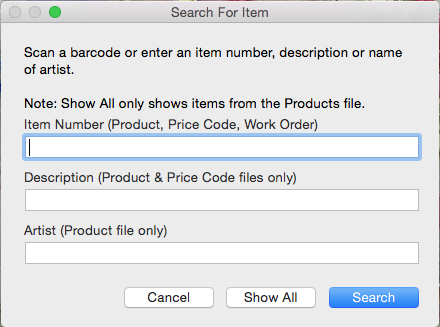
A dialog box appears.
-
Search for the item from the Price Codes file or the Products file by entering the item number into the Item Number field. Click Search.
Or
Type in a brief description in the Description field. Click Search.
Or
Type in an artist name in the Artist field (only for items from the Products file.) If more than one item is found, then a selection list from which to choose is presented.
Or
Click Show All and scroll to choose the item.
© 2023 Adatasol, Inc.