Accounts Receivable Report by Invoices
-
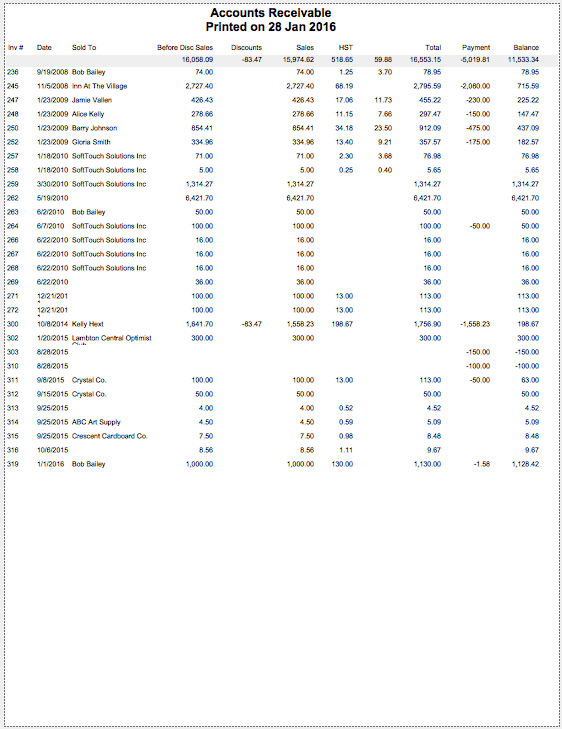
All invoices with a balance owing are included.
-
Totals appear at the top of the first page.
-
As invoices are paid in full, they are automatically removed from your Accounts Receivable list.
How to Print an Accounts Receivable Report by Invoices
-
On an Invoice (form view), click the Accounts Receivable Report sidebar button.

-
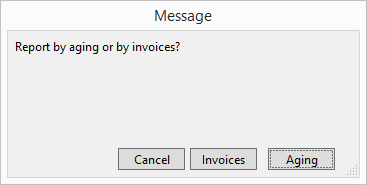
A dialog box appears asking you to choose Invoices or Aging.
-
Click the Invoices button.
-
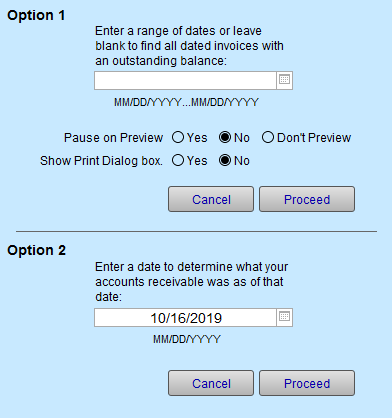
An options window appears.
-
Select either Option 1 or 2:
Option 1. Select date range or leave blank to find all dates invoices with an outstanding balance.
Option 2. Enter a date to determine what your accounts receivable was as of that date. -
Click the Proceed button.
The requested data appears.
-
Click Done to exit.
© 2023 Adatasol, Inc.