Reports and Documents
Work Order Estimate
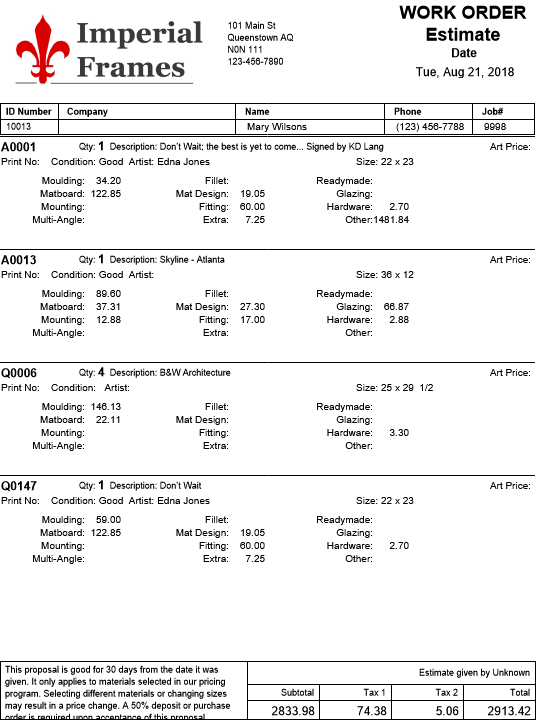
One of the documents you may choose to give to a customer is the Blind Estimate.
-
This document shows the individual prices of each component and total but no details of mat or moulding numbers.
-
It records which employee gave the quote and includes a disclaimer footnote which you can compose for your own shop requirements, for example, This estimate is only good for 30 days…
-
You may use this when giving a quote when you suspect the customer will go down the street and compare with your competitor.
Printed Example
How to Print a Work Order Estimate
-
Go to the specific Work Order you need to print.
-
Click the Print Documents sidebar button.

-
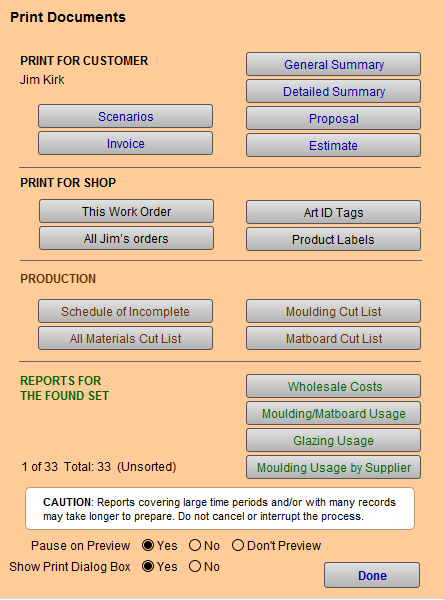
The Print Documents window appears.
-
Click the Estimate button.
-
A print preview of the document appears.
-
Click Save as PDF or Continue to print.
OR
-
Go to Work Orders file > Scripts menu at top > Print.
-
Choose Estimate.
-
Save as PDF or click Continue to print.
